
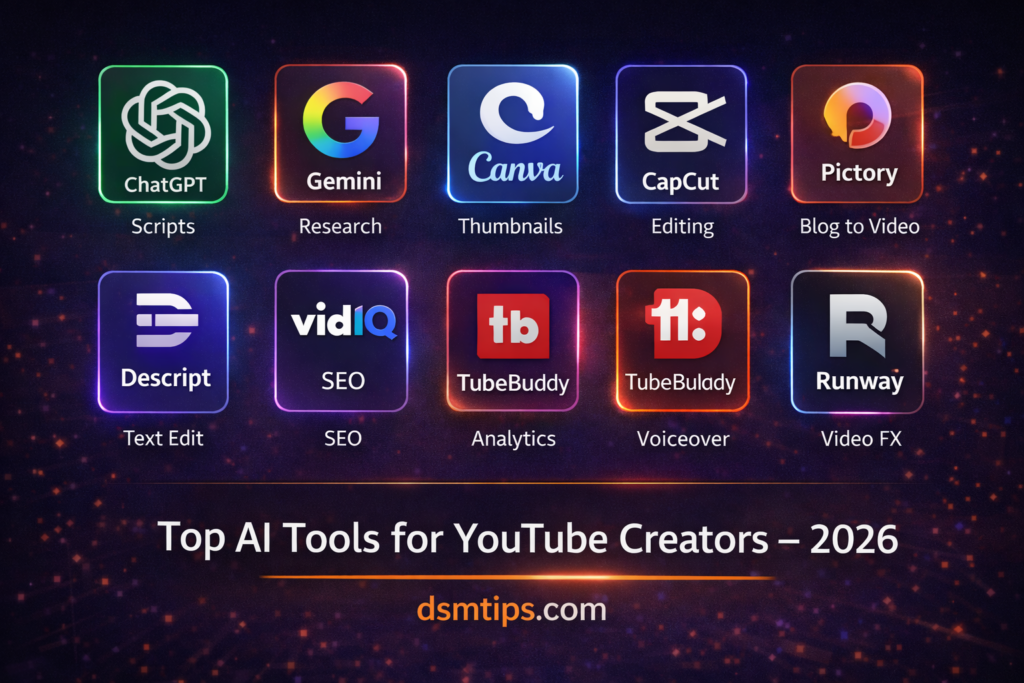
“The best YouTube channels in 2026 are not made by the biggest teams. They are made by the smartest creators.”
“AI does not make you a better creator. It gives you more time to be one.”
“Your next viral video is not waiting for better equipment. It is waiting for the right tools.”
Welcome to DSM Tips — your go-to place for honest, practical insights on technology, AI, and digital growth. Today we are talking about something every YouTuber — beginner or experienced — needs to understand right now.
Which AI tools actually help you create better videos and grow your channel faster in 2026?
Making quality YouTube content consistently is genuinely hard. Coming up with ideas, writing scripts, recording, editing, designing thumbnails, optimizing for SEO, and then doing it all over again next week — it is a full-time operation even for solo creators.
AI tools do not eliminate that work. But they make every part of it significantly faster, more consistent, and more manageable. This guide breaks down the ten best AI tools for YouTube creators in 2026 — what they do, why they matter, and how to use them effectively.
How AI Is Changing YouTube Content Creation
Not long ago, producing professional YouTube content required a team — a scriptwriter, a video editor, a thumbnail designer, an SEO specialist. Solo creators either wore all those hats themselves or produced lower-quality content.
AI has changed that equation. Today, a single creator with the right tools can produce content that competes with channels ten times their size. The playing field has genuinely shifted — and the creators who understand that will grow the fastest.
1. ChatGPT
Best for: Video ideas, scripts, titles, descriptions, and content planning
ChatGPT is the backbone of most AI-powered YouTube workflows. It helps you brainstorm video ideas when you are stuck, write full video scripts from a brief outline, craft click-worthy titles, write SEO-optimized descriptions, and plan your entire content calendar.
The key is learning how to prompt it well. Give it context about your channel, your audience, and your niche — and the output becomes genuinely useful rather than generic. Many successful creators use ChatGPT daily as their first step in every video production process.
2. Gemini
Best for: Research, trending topic discovery, and content analysis
Before you create a video, you need to know what your audience actually wants to watch. Gemini helps with that research layer — identifying trending topics in your niche, summarizing background information quickly, and helping you understand what angles competitors are taking on popular subjects.
Its Google integration also means it pulls from current, up-to-date information, which is particularly useful for news-driven or trend-based content.
3. Canva AI
Best for: YouTube thumbnails, channel banners, and social media graphics
A great thumbnail is often the difference between a video that gets clicked and one that gets ignored. Canva AI makes professional thumbnail creation accessible to creators who have no design background.
With AI-generated visuals, smart layout suggestions, pre-built YouTube thumbnail templates, and easy text overlay tools — you can design eye-catching thumbnails in minutes. It also handles channel art, end screens, social media posts, and any other visual content your channel needs.
4. CapCut
Best for: AI video editing, automatic subtitles, and short-form content
CapCut has become one of the most popular free video editing tools for YouTube creators — and its AI features are a big reason why. Automatic subtitle generation, background removal, smart cut detection, AI-generated effects, and one-click enhancements make the editing process dramatically faster.
For creators who also post Shorts or repurpose content for Instagram Reels and TikTok, CapCut handles the format transitions with minimal extra effort.
5. Pictory
Best for: Turning written content into videos
If you already have blog posts, articles, or written scripts, Pictory converts them into engaging videos automatically. It matches your text with relevant video clips, adds captions, and produces a complete video with minimal manual work.
This is one of the most efficient content repurposing tools available. A blog post that took hours to write can become a YouTube video in a fraction of that time.
6. Descript
Best for: Editing videos by editing text
Descript is one of the most innovative video editing tools available right now. It transcribes your entire video and lets you edit the footage by editing the transcript — delete a word from the text and it disappears from the video. Remove filler words like “um” and “uh” with one click.
For creators who spend hours in traditional timeline editing, Descript dramatically reduces the time and frustration involved in producing a polished final video.
7. VidIQ
Best for: Keyword research and channel optimization
VidIQ is essential for any creator who takes YouTube growth seriously. It shows you which keywords your videos should target, analyses why competitor videos are ranking, tracks your channel’s performance over time, and provides daily video idea suggestions based on what is trending in your niche.
The data it provides helps you make informed decisions about what to create — rather than guessing and hoping something works.
8. TubeBuddy
Best for: YouTube SEO and analytics
TubeBuddy works directly inside YouTube and helps you optimize every video before and after publishing. Tag suggestions, SEO scorecards, A/B testing for thumbnails and titles, bulk processing tools, and detailed analytics — it covers the technical side of YouTube growth comprehensively.
Many creators use both VidIQ and TubeBuddy together, as they complement each other well.
9. ElevenLabs
Best for: Realistic AI voiceovers
ElevenLabs produces the most realistic AI-generated voices available right now. For creators running faceless channels, adding voiceovers to tutorial videos, or producing content in multiple languages, the quality difference between ElevenLabs and older text-to-speech tools is dramatic.
The voices sound natural, the pacing is controllable, and the output is professional enough for full YouTube videos without any recording setup required.
10. Runway
Best for: Advanced AI video generation, effects, and editing
Runway is the most powerful AI video tool on this list — and the most advanced. It can generate video clips from text prompts, remove backgrounds from footage, apply cinematic effects, and perform complex edits that would normally require professional post-production software.
For creators who want to produce high-production-value content without a full studio setup, Runway opens up creative possibilities that simply did not exist a few years ago.
How AI Helps at Every Stage of YouTube Creation
Content Planning: Generating fresh video ideas consistently, identifying trending topics before they peak, building complete script outlines from a single sentence.
Video Creation: Producing realistic voiceovers without a recording setup, generating automatic subtitles that improve accessibility and watch time, editing footage faster through AI-assisted tools.
Channel Growth: Optimizing titles, descriptions, and tags for maximum search visibility, researching keywords that your audience is actually searching for, designing thumbnails that drive higher click-through rates.
Productivity: Cutting editing time in half or more, maintaining a consistent posting schedule without burning out, repurposing existing content into new formats with minimal additional effort.
The Right Tool Combination for Your Level
If you are just starting out: ChatGPT + Canva + CapCut. These three free tools cover scriptwriting, thumbnails, and editing — everything you need to publish consistently from day one.
If you are growing and want to optimize: Add VidIQ and Descript to your stack. VidIQ gives you the data to grow strategically. Descript cuts your editing time dramatically.
If you are running a professional operation: ChatGPT + Runway + ElevenLabs + VidIQ + Canva. This combination lets you produce cinematic, faceless, or highly polished content at scale.
Best AI Tool for Each YouTube Need
| What You Need | Best Tool |
|---|---|
| Video Ideas and Scripts | ChatGPT |
| Trending Topic Research | Gemini, VidIQ |
| Thumbnail Design | Canva AI |
| Video Editing | CapCut, Descript |
| SEO Optimization | VidIQ, TubeBuddy |
| AI Voiceovers | ElevenLabs |
| Advanced Video Effects | Runway |
| Blog to Video | Pictory |
| Subtitle Generation | CapCut, Descript |
| Channel Analytics | VidIQ, TubeBuddy |
Final Verdict
For most creators at any level, this combination delivers the best results:
🥇 ChatGPT — for ideas, scripts, titles, and descriptions
🥈 Canva AI — for thumbnails and channel graphics
🥉 CapCut — for fast, high-quality video editing
🏅 VidIQ — for SEO and data-driven growth
🏅 ElevenLabs — for professional voiceovers without a microphone
Start with what fits your current level and budget. Add tools as your channel grows and your workflow becomes clearer.
Final Thoughts
The YouTube creators who will win in 2026 are not the ones with the best cameras or the biggest budgets. They are the ones who produce the best content most consistently — and AI tools make that possible for anyone willing to learn how to use them.
Pick two or three tools from this list. Build them into your weekly workflow. And keep showing up.
Growth on YouTube has always rewarded consistency above everything else. AI just makes consistency a lot less exhausting.
Connect With Us
🌐 Main Blog: dsmtips.com — Tech, AI, and digital insights in simple language
💻 Also visit: computerventures.in — More on computers, tools, and online income
📸 Instagram: @deepakmunje4333 | @ai_deepak4333
📞 Contact: 9175363333
🎉 Welcome to DSM Tips!
Whether you are a new YouTuber just starting out, a growing creator looking to scale, or an experienced channel owner wanting to work smarter — you are in exactly the right place.
At DSM Tips, we keep things honest, simple, and genuinely useful. No fluff. No false promises. Just content that helps you move forward.
Welcome to the DSM Tips family. Really glad you are here.
Keep creating. Keep growing. Your best video is still ahead of you.
— Team DSM Tips
© DSM Tips | dsmtips.com | Also visit: computerventures.in | Contact: 9175363333