
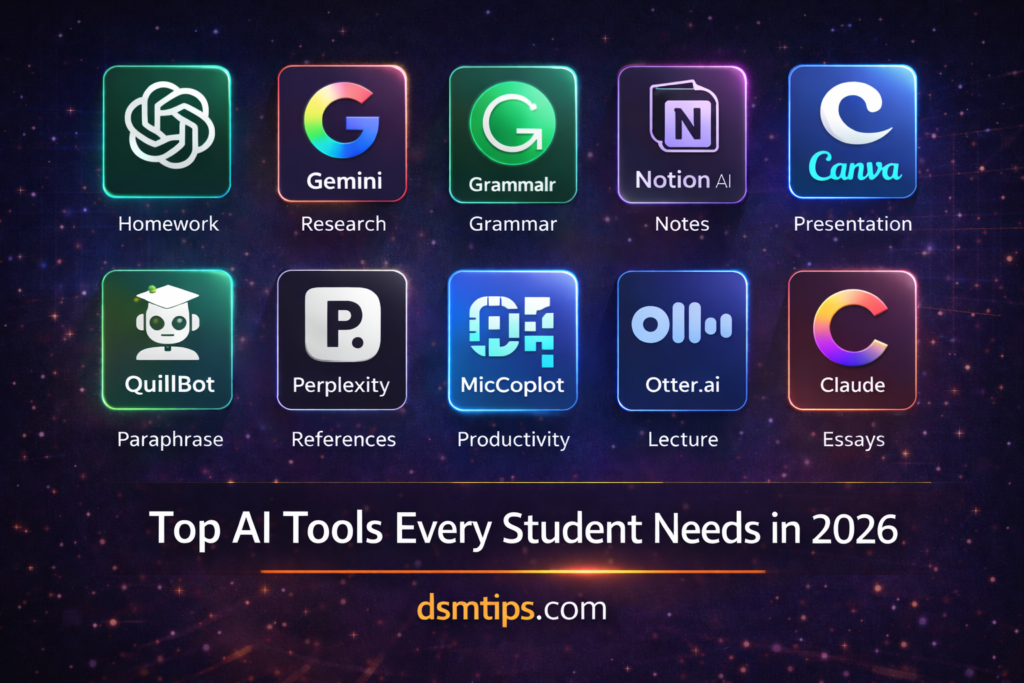
“The smartest students in 2026 are not the ones who study the hardest. They are the ones who use the right tools.”
“AI will not do your homework for you. But it will make every hour you study worth twice as much.”
“Education has always been about learning better. AI is just the most powerful learning tool ever made.”
Welcome to DSM Tips — your go-to place for honest, practical insights on technology, AI, and digital life. Today we are talking about something that every student — from school to college to competitive exam prep — genuinely needs to know.
Which AI tools are actually worth using as a student in 2026?
Between assignments, research, presentations, note-taking, and exam preparation, student life demands a lot. AI tools cannot replace hard work or genuine understanding. But they can make every hour you put in significantly more productive. The right tools help you research faster, write better, stay organized, and learn more effectively.
This guide breaks down the best ones — honestly and practically.
Why AI Tools Matter for Students Right Now
The way students learn and work has changed fundamentally. Information is everywhere, but knowing how to find the right information quickly, structure it clearly, and present it effectively — that is where most students struggle.
AI tools directly address these pain points. They help you understand complex topics faster, improve the quality of your writing, keep your study schedule organized, and produce better assignments in less time.
Used correctly, they do not replace learning. They accelerate it.
1. ChatGPT
Best for: Homework help, concept explanations, summaries, and writing assistance
ChatGPT is the most versatile AI tool a student can have. Struggling with a concept your textbook explains poorly? Ask ChatGPT to explain it differently, with examples, in simpler language. Need a summary of a long chapter? Done in seconds. Working on an essay and not sure how to structure it? ChatGPT can help you outline it, draft sections, and refine your arguments.
The key is using it as a learning partner, not a shortcut. Ask it to explain its reasoning. Ask follow-up questions. Use it to genuinely understand, not just to copy.
2. Gemini
Best for: Research, study material generation, and Google integration
Gemini works seamlessly with Google’s ecosystem — Google Docs, Google Search, Gmail, and Google Drive. For students who do most of their work in Google’s tools, this integration makes Gemini feel like a natural extension of the workflow rather than a separate app to manage.
It is particularly strong for research tasks, pulling together information from multiple sources and summarizing it clearly. It also helps generate study materials, quiz questions, and content outlines based on topics you are studying.
3. Grammarly
Best for: Essay improvement, grammar checking, and academic writing
Every student who writes essays, reports, or research papers should be using Grammarly. It catches grammar errors, suggests better word choices, flags unclear sentences, adjusts tone for academic contexts, and significantly improves readability.
The difference between a first draft and a Grammarly-reviewed draft is often the difference between a good grade and a great one. It is not about hiding your mistakes — it is about learning from them in real time.
4. Notion AI
Best for: Notes, study planning, and project management
Notion AI brings AI writing and organization assistance directly into your note-taking and study planning workspace. You can store your notes, build your study schedule, manage assignment deadlines, collaborate with classmates on group projects, and let the AI help you summarize, organize, and structure everything — all in one place.
For students who feel overwhelmed by managing multiple subjects and deadlines simultaneously, Notion AI brings real clarity to the chaos.
5. Canva AI
Best for: Presentations, visual assignments, and project work
Most students hate making presentations because good design takes time they do not have. Canva AI solves this completely. With AI-powered design suggestions, ready-made templates, and automatic layout adjustments, you can produce professional-looking presentations and visual projects in a fraction of the time it would normally take.
It is also excellent for infographics, posters, and any other visual component of academic work.
6. QuillBot
Best for: Paraphrasing, rewriting, and improving written content
QuillBot is particularly useful when you need to express an idea in your own words — whether that is paraphrasing a source for a research paper, rewriting a section for clarity, or avoiding accidental plagiarism by reformulating content you have researched.
It also includes a grammar checker and summarization tool, making it a genuinely useful all-rounder for academic writing tasks.
7. Perplexity
Best for: Research with cited sources and fact-checking
Perplexity is an AI-powered search engine that gives you direct, well-organized answers to research questions — with source citations included. This is a significant advantage over standard AI tools that sometimes produce information without clear references.
For academic research where you need to cite your sources properly, Perplexity is often the most reliable starting point. It tells you not just what the answer is but where it came from.
8. Microsoft Copilot
Best for: Productivity, Office tasks, and study assistance
If your school or college uses Microsoft tools — Word, PowerPoint, Excel, OneNote — Microsoft Copilot integrates directly into all of them. It can help you draft documents, summarize notes, create presentations, and analyze data without leaving the applications you already use.
For students in institutions that provide Microsoft 365 access, Copilot is essentially a free AI assistant built into the tools you are already using every day.
9. Otter.ai
Best for: Lecture notes and class summaries
Otter.ai automatically transcribes spoken audio into written text in real time. Take it to a lecture, a study group discussion, or an online class — and it produces a clean, searchable transcript that you can review, highlight, and reference later.
For students who struggle to take notes quickly enough during lectures, or who want to stay fully present in class without worrying about writing everything down, Otter.ai is genuinely useful.
10. Claude
Best for: Long-form explanations, complex topic understanding, and detailed study support
Claude handles large amounts of text exceptionally well. If you need a thorough explanation of a complex topic, a deep analysis of a text you are studying, or detailed feedback on a long essay, Claude is often the better choice over shorter-context tools.
It is particularly strong for subjects that require nuanced understanding — history, literature, philosophy, economics — where surface-level answers are not enough.
How AI Tools Benefit Students
The benefits go beyond just saving time. Used thoughtfully, AI tools help students:
Research more efficiently and find better sources faster. Write more clearly and catch errors before submission. Understand difficult concepts from multiple angles. Stay organized across multiple subjects and deadlines. Prepare more effectively for exams through summarization and practice questions. Present ideas visually in a way that actually engages an audience.
Best AI Tool for Each Student Need
| What You Need | Best Tool |
|---|---|
| Homework Help | ChatGPT |
| Research with Sources | Perplexity, Gemini |
| Essay Writing | Grammarly, Claude |
| Notes and Organization | Notion AI |
| Presentations | Canva AI |
| Study Planning | Notion AI |
| Summaries | ChatGPT, Claude |
| Paraphrasing | QuillBot |
| Lecture Transcription | Otter.ai |
| Office Tasks | Microsoft Copilot |
The Ideal Combination for Most Students
You do not need all ten tools. For most students, this combination covers everything:
🥇 ChatGPT — for daily learning, homework help, and writing assistance
🥈 Gemini — for research and Google workflow integration
🥉 Grammarly — for improving every piece of writing before submission
🏅 Notion AI — for staying organized and managing your study schedule
🏅 Canva AI — for presentations and visual project work
Start with these five. Get comfortable with each one. Then explore the others as your specific needs grow.
A Word of Caution
AI tools are powerful — but they work best when you use them to learn, not to avoid learning. Using ChatGPT to explain a concept you do not understand is excellent. Copying its output directly into your assignment without reading it is not.
The students who will benefit most from AI are the ones who use it to deepen their understanding and improve their work — not the ones who use it to skip the thinking entirely.
Final Thoughts
AI has genuinely changed what is possible for students in 2026. The tools are free or very affordable, they are easy to use, and the impact on study quality and productivity is real.
The students who learn how to use these tools effectively today will carry that advantage with them into their careers tomorrow. Start now, use them responsibly, and let them make your education more effective — not easier in the wrong way.
Connect With Us
🌐 Main Blog: dsmtips.com — Tech, AI, and digital insights in simple language
💻 Also visit: computerventures.in — More on computers, tools, and online income
📸 Instagram: @deepakmunje4333 | @ai_deepak4333
📞 Contact: 9175363333
🎉 Welcome to DSM Tips!
Whether you are a student trying to get better grades, a parent looking for tools to help your child, or an educator curious about AI in education — you are in exactly the right place.
At DSM Tips, we keep things honest, simple, and genuinely useful. No fluff. No false promises. Just content that helps you move forward.
Welcome to the DSM Tips family. Really glad you are here.
Keep learning. Keep growing. Your best academic work is still ahead of you.
— Team DSM Tips
© DSM Tips | dsmtips.com | Also visit: computerventures.in | Contact: 9175363333