
“Your next laptop will not just run your work. It will understand it.”
“The smartest computer you have ever owned is not the one you have now. It is the one coming next.”
“AI is not an app on your computer anymore. It is becoming the computer itself.”
Welcome to DSM Tips — honest, practical content on technology, AI, and digital life. Today we are talking about something that affects every person who owns a computer or laptop right now.
AI is moving inside your device — and it is changing everything about how computers work.
This is not about chatbots or cloud software. This is about AI built directly into the hardware and operating system of the machines sitting on your desk or in your bag. Here is what is happening and what it means for you.
What Does AI in a Computer Actually Mean?
Traditional computers do exactly what they are told. Nothing more.
AI-powered computers are different. They learn how you work, adapt to your habits, optimize their own performance, and assist you in ways that older machines simply cannot.
Specifically, AI-powered computers can learn your behavior over time, automatically optimize performance based on what you are doing, improve security by detecting threats in real time, assist with tasks before you ask, automate repetitive workflows, and make the overall experience faster and more intuitive.
The result is a device that gets smarter the more you use it.
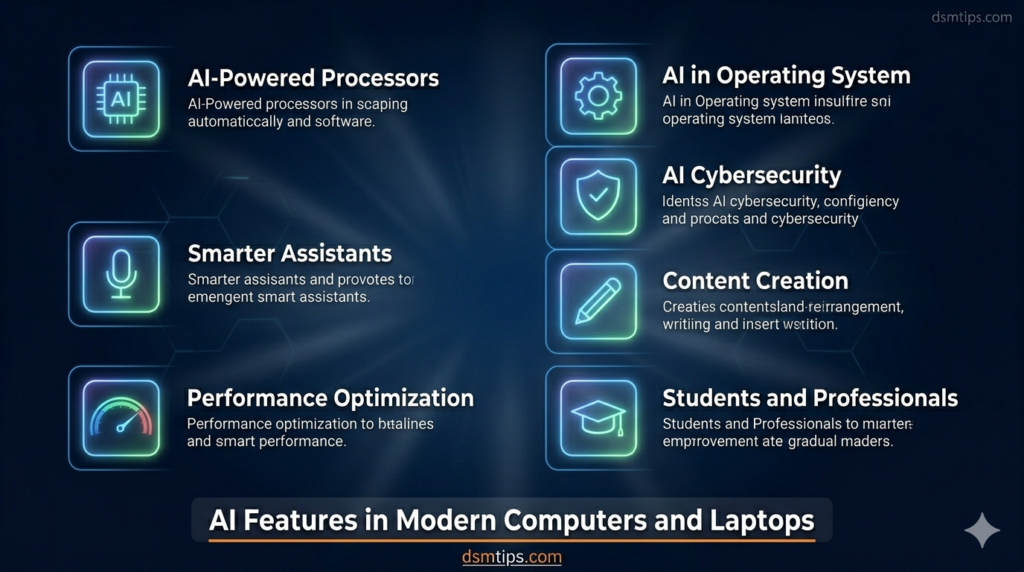
1. AI-Powered Processors — The Brain Behind It All
The most significant hardware change happening right now is the introduction of NPUs — Neural Processing Units.
These are dedicated AI chips built directly into modern processors from Intel, AMD, Apple, and Qualcomm. Unlike the CPU or GPU, an NPU is designed specifically to handle AI tasks — and it does so faster, with significantly less power consumption.
What this means in practice: AI features run locally on your device instead of sending data to the cloud. Faster responses, better battery life, and more privacy. This is what makes a device an actual “AI PC” rather than just a regular laptop with AI software installed on it.
2. Smarter Virtual Assistants
The virtual assistants of today — Siri, Cortana, Google Assistant — are useful but limited. The AI assistants being built into next-generation laptops are a different category entirely.
Future laptop assistants will schedule meetings by reading your emails and calendar, write and reply to emails in your tone and style, summarize long documents in seconds, manage and organize your files automatically, answer questions about your own work, and control applications through natural voice commands.
The goal is an assistant that actually understands context — not just keywords.
3. Automatic Performance Optimization
One of the most immediately useful AI features in modern computers is performance optimization that happens without you touching a setting.
AI monitors what you are doing and adjusts the system accordingly. Heavy workload coming? It allocates more resources before you notice any slowdown. Light browsing? It scales back and saves battery. Background processes eating performance unnecessarily? They get deprioritized automatically.
Faster startup times, better battery life, and a system that always feels responsive — without you having to manage any of it manually.
4. AI-Powered Cybersecurity
Cyber threats are evolving faster than traditional security methods can keep up with. AI is changing the defense side of that equation significantly.
AI security systems monitor activity in real time, detect malware based on behavior rather than known signatures, flag suspicious access patterns before damage occurs, and provide authentication systems that are harder to fool than passwords alone.
Traditional antivirus software reacts to known threats. AI security anticipates and detects unknown ones — which is where most real attacks come from.
5. AI Tools for Content Creation
For bloggers, designers, video editors, and creators of any kind, AI-powered laptops are genuinely changing what is possible in a single working session.
AI writing tools assist with drafting and editing. AI image generation creates visuals from text prompts. AI video editing cuts down hours of work to minutes. Audio enhancement tools clean up recordings automatically. Presentation tools generate slide layouts from an outline.
The creative process does not get replaced — it gets significantly accelerated.
6. AI for Students and Professionals
Students are using AI-powered devices to research topics more efficiently, get homework support, summarize long notes into key points, translate content across languages in real time, and build personalized study plans.
Professionals are using them to generate business reports and data analysis, manage email at scale, get meeting summaries without taking notes, and handle project planning with AI assistance.
In both cases, AI functions as a productivity multiplier — more done in less time with better results.
7. AI Built Into the Operating System
Modern operating systems are no longer just software that runs your programs. They are becoming intelligent platforms in their own right.
Windows 11 with Copilot, macOS with Apple Intelligence, and ChromeOS with Gemini integration are all moving in the same direction — AI woven directly into search, file management, settings, recommendations, and task automation.
The vision is an OS that functions as a genuine personal assistant. Not something you open and interact with separately — something that is always present and always useful.
Benefits at a Glance
Increased Productivity — Tasks that used to take an hour take minutes.
Better Performance — Systems that adapt to workload automatically stay fast and efficient.
Enhanced Security — Real-time AI threat detection catches what traditional software misses.
Improved User Experience — Computers become genuinely easier to use the smarter they get.
Faster Content Creation — AI tools compress the creative workflow without reducing the quality of output.
Challenges Worth Knowing About
Privacy — AI features that learn your behavior collect data to do so. Understanding what data is stored locally versus sent to the cloud matters.
Hardware Requirements — Full AI PC features require newer hardware. Older devices will not support everything.
Cost — AI-powered laptops currently carry a premium price. That gap will narrow over time but exists now.
Security Risks — More capable AI systems also create new attack surfaces. Security must evolve alongside capability.
Where AI PCs Are Headed
The current generation of AI PCs is impressive. What is coming next is more so.
Real-time language translation built into the hardware — speak in one language, have it translated and spoken in another, live. Advanced personal assistants that know your full work context. AI-generated content tools that are deeply integrated into creative workflows. Intelligent battery management that extends life based on usage patterns. Cybersecurity systems that learn and adapt as threats evolve.
AI-powered computing is not a feature. It is becoming the foundation of what a computer is.
Final Thoughts
AI is transforming computers and laptops from passive tools into intelligent partners. Whether you are a student, a professional, a creator, or a business owner — the shift is happening, and it is moving quickly.
The people who understand what AI PCs can do and start building their workflows around these capabilities will have a genuine advantage over those who do not.
The AI PC era has already started. The question is when you decide to be part of it.
About the Author
Deepak Munje 📞 9175363333 🌐 dsmtips.com 💻 computerventures.in 📸 Instagram: @deepakmunje4333 | @ai_deepak4333
Connect With Us
🌐 Main Blog: dsmtips.com 💻 Also visit: computerventures.in 📸 Instagram: @deepakmunje4333 | @ai_deepak4333 📞 Contact: 9175363333
🎉 Welcome to DSM Tips!
Whether you are a tech enthusiast, a working professional, or someone just trying to get the most out of their devices — you are in exactly the right place.
At DSM Tips, we keep things honest, simple, and useful. No unnecessary jargon. No hype. Just content that actually helps.
Welcome to the DSM Tips family. Really glad you are here.
Keep learning. Keep growing.
— Team DSM Tips
© DSM Tips | dsmtips.com | Also visit: computerventures.in | Contact: 9175363333