
“You don’t need a designer anymore. You need the right prompt and the right tool.”
“The best visual content in 2026 is being made by creators who never opened Photoshop.”
“Free does not mean low quality anymore — AI has changed that completely.”
Welcome to DSM Tips — your go-to place for honest, practical insights on technology, AI, and digital growth. Today we are breaking down one of the most searched topics for bloggers and content creators right now.
Which free AI image generator is actually worth using in 2026?
There are dozens of tools out there making big promises. This guide cuts through the noise and gives you an honest comparison of the best ones — what they do well, where they fall short, and who each tool is best suited for.
Let’s get into it.
Why AI Image Generators Matter for Creators
Not long ago, creating professional-quality visuals meant hiring a designer, buying expensive software, or spending hours learning complex tools. That reality has completely changed.
Today, AI image generators let bloggers create featured images, YouTubers design thumbnails, marketers build campaign graphics, and small business owners produce product mockups — all in seconds, often for free.
The quality has improved dramatically. And the best free tools available right now are genuinely good enough for professional use.
1. Leonardo AI
Best for: Bloggers, content creators, and realistic image generation
Leonardo AI is consistently one of the top-rated free AI image tools available. It gives you daily free tokens, supports multiple image styles, and produces high-quality realistic visuals that work beautifully for blog featured images, social media posts, and thumbnails.
The interface is beginner-friendly without sacrificing depth. You get AI canvas editing, portrait generation, and a wide variety of style options — all on the free plan.
Strengths: Outstanding image quality, easy to use, excellent for blog visuals, fast generation, generous free tier
Limitation: Daily token limit on the free plan
Rating: 9.5/10
2. ChatGPT (DALL·E)
Best for: Custom image creation through natural language prompts
ChatGPT’s image generation — powered by DALL·E — is remarkably good at understanding exactly what you describe. You can have a full conversation with the tool, refine your prompt, and iterate on the image until you get precisely what you need.
It also handles image editing well, making it useful not just for generating new visuals but for modifying existing ones. If you are already using ChatGPT for writing, having image generation in the same tool is a genuine convenience.
Strengths: Excellent prompt understanding, image editing capability, easy to use, creative artwork
Limitation: Usage limits on the free plan
Rating: 9.5/10
3. Canva AI
Best for: Social media graphics, blog images, and beginners
Canva has evolved from a simple design tool into a full AI-powered creative platform. Its AI image generation is built directly into the design workflow, which means you can generate an image and immediately place it into a template, resize it for different platforms, and export it — all without switching tools.
The drag-and-drop interface makes it accessible to anyone, and the library of pre-built templates saves significant time for social media creators and bloggers.
Strengths: Beginner-friendly, massive template library, all-in-one design workflow, excellent for social media
Limitation: Some advanced AI features require the Pro version
Rating: 9/10
4. Microsoft Designer
Best for: Marketing visuals and social media content
Microsoft Designer offers free access to high-quality AI image generation with a clean, easy-to-use interface. It is particularly strong for creating marketing graphics and social media content quickly. The design templates are polished and the output quality is consistently good.
If you are in the Microsoft ecosystem — using Edge, Bing, or Microsoft 365 — Designer integrates naturally into your workflow.
Strengths: Completely free, clean interface, high-quality design output, good template variety
Limitation: Limited advanced customization controls
Rating: 8.5/10
5. Adobe Firefly
Best for: Professional designers and high-quality creative work
Adobe Firefly is the most professionally oriented tool on this list. The image quality is exceptional, and features like Generative Fill — which lets you add, remove, or replace elements in an image — are genuinely powerful for design work.
It integrates with Adobe’s broader ecosystem, which makes it particularly valuable if you already use Photoshop or Illustrator. The free plan gives you a meaningful number of credits to work with.
Strengths: Exceptional quality, generative fill feature, Adobe integration, text effects, professional output
Limitation: Steeper learning curve than other tools on this list
Rating: 9/10
6. Ideogram
Best for: Images that include text — posters, logos, and marketing graphics
Ideogram solves one of the biggest problems with AI image generation — text rendering. Most AI tools struggle to produce readable, accurate text inside images. Ideogram handles this remarkably well, making it the go-to tool for creating posters, banners, logo concepts, and any visual that needs legible text as part of the design.
Strengths: Best-in-class text generation inside images, clean interface, great for marketing graphics
Limitation: Fewer editing features compared to other tools
Rating: 9/10
7. Bing Image Creator
Best for: Completely free AI image generation with no account required
Bing Image Creator is powered by DALL·E and accessible to anyone with a Microsoft account — which most people already have. It produces high-quality images quickly and requires no learning curve whatsoever. For creators who want to generate occasional images without committing to a platform, this is the most accessible option available.
Strengths: Completely free, no complex setup, high-quality output, fast
Limitation: Limited customization and style control
Rating: 8.5/10
8. Dream by WOMBO
Best for: Artistic and illustrated visuals
Dream by WOMBO leans into creative, artistic styles rather than photorealism. If you need illustrative, painterly, or fantasy-style visuals for your content — particularly for creative blogs, storytelling, or artistic projects — WOMBO delivers distinctive results.
Strengths: Creative and unique visual styles, easy to use
Limitation: Less suited for realistic photography-style images
Rating: 8/10
9. Pixlr
Best for: Photo editing and image enhancement
Pixlr is more of an AI-powered photo editor than a pure image generator. It excels at background removal, photo enhancement, retouching, and improving existing images. If you regularly work with photographs and need quick AI-assisted editing without paying for Photoshop, Pixlr is a strong free option.
Strengths: Strong editing tools, background removal, photo enhancement
Limitation: Less powerful for generating images from scratch
Rating: 8/10
10. Craiyon
Best for: Beginners experimenting with AI image generation
Craiyon is completely free with no usage limits, making it a good starting point for people who want to understand how AI image generation works before committing to a more capable tool. The image quality is noticeably lower than the other tools on this list, but for pure experimentation and learning, it serves its purpose.
Strengths: Completely free, unlimited experiments, no account required
Limitation: Image quality is significantly lower than other tools
Rating: 7/10
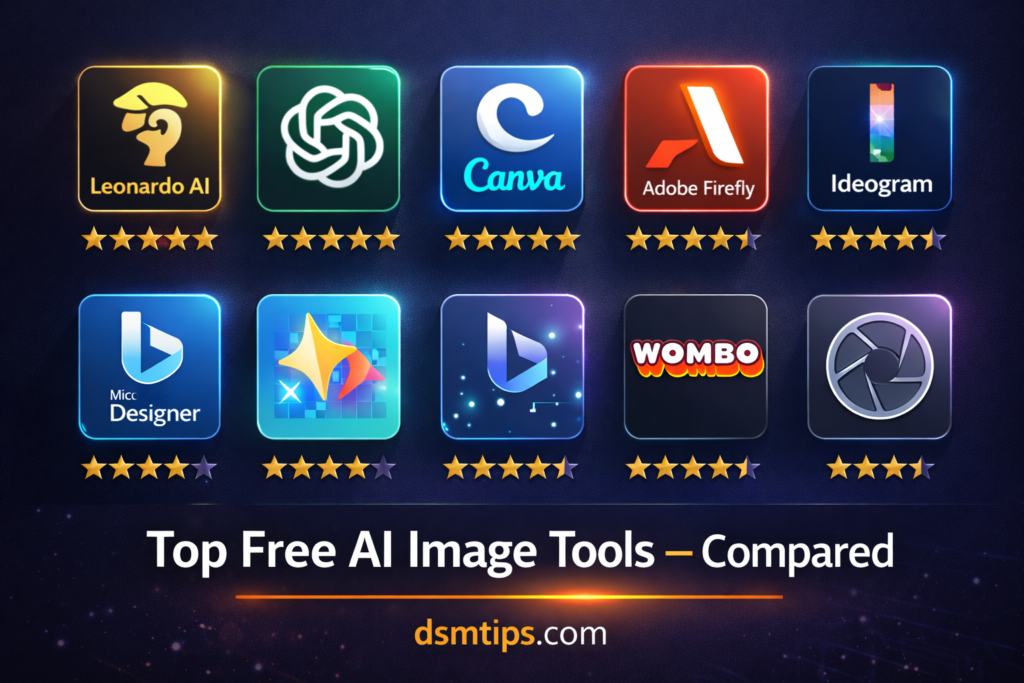
Quick Comparison Table
| Tool | Free Plan | Realistic Images | Editing | Best For |
|---|---|---|---|---|
| Leonardo AI | ✅ | ⭐⭐⭐⭐⭐ | ⭐⭐⭐⭐⭐ | Bloggers |
| ChatGPT | ✅ | ⭐⭐⭐⭐⭐ | ⭐⭐⭐⭐⭐ | Custom Images |
| Canva AI | ✅ | ⭐⭐⭐⭐ | ⭐⭐⭐⭐⭐ | Social Media |
| Adobe Firefly | ✅ | ⭐⭐⭐⭐⭐ | ⭐⭐⭐⭐⭐ | Designers |
| Ideogram | ✅ | ⭐⭐⭐⭐ | ⭐⭐⭐ | Text Images |
| Bing Creator | ✅ | ⭐⭐⭐⭐ | ⭐⭐⭐ | Beginners |
| WOMBO | ✅ | ⭐⭐⭐ | ⭐⭐⭐ | Artistic Work |
| Pixlr | ✅ | ⭐⭐⭐ | ⭐⭐⭐⭐ | Photo Editing |
| Craiyon | ✅ | ⭐⭐ | ⭐⭐ | Learning |
Best Tool for Each Use Case
For bloggers: Leonardo AI → ChatGPT → Canva AI
For YouTube thumbnails: Canva AI → Leonardo AI → Ideogram
For marketing graphics: Adobe Firefly → Canva AI → Microsoft Designer
For realistic photos: Leonardo AI → ChatGPT → Adobe Firefly
For images with text: Ideogram → Canva AI → Adobe Firefly
So Which One Should You Actually Use?
If you want one free tool that does almost everything well — Leonardo AI is the winner. The image quality is outstanding, the free daily credits are generous enough for regular use, the style variety is excellent, and the interface is easy enough for beginners while powerful enough for experienced creators.
If you want image generation built into a writing and assistant tool — go with ChatGPT. The combination of writing, research, and image generation in one place is genuinely convenient, and the prompt understanding is best-in-class.
If you are primarily creating social media content — Canva AI is your best bet. The all-in-one design workflow, combined with its template library and easy resizing for different platforms, makes it the most efficient choice for social media creators.
Final Thoughts
AI image generators have become essential tools for bloggers, marketers, YouTubers, and content creators of all kinds. The free plans available in 2026 are genuinely capable — you do not need to spend money to produce professional-quality visuals.
Start with Leonardo AI or Canva AI if you are just getting started. As your needs grow and your workflow develops, explore Adobe Firefly and Ideogram for more specialized work.
The best image is the one that gets made. Pick a tool and start creating.
Connect With Us
🌐 Main Blog: dsmtips.com — Tech, AI, and digital insights in simple language
💻 Also visit: computerventures.in — More on computers, tools, and online income
📸 Instagram: @deepakmunje4333 | @ai_deepak4333
📞 Contact: 9175363333
🎉 Welcome to DSM Tips!
Whether you are a blogger looking for better visuals, a creator building your brand, or someone just starting out with AI tools — you are in exactly the right place.
At DSM Tips, we keep things honest, simple, and genuinely useful. No fluff. No false promises. Just content that helps you move forward.
Welcome to the DSM Tips family. Really glad you are here.
Keep learning. Keep creating. The best visuals you have ever made are still ahead of you.
— Team DSM Tips
© DSM Tips | dsmtips.com | Also visit: computerventures.in | Contact: 9175363333